In Part 1, we decoded the macro structure of the iPhone 16 Pro page — how Apple follows the AIDA model to build purchase confidence stage by stage. This iPhone 16 Pro breakdown goes one level deeper: the specific design decisions that make each section actually work.
This isn’t about aesthetics. Every element on this page serves a conversion function.
Series Overview
- Part 1: The AIDA Structure Behind Apple’s Product Page
- Part 2: The Design Elements That Make It Work ← you’re here
The iPhone 16 Pro Breakdown: Design Elements
1. Message Design — Emotion First, Logic Second
The Elaboration Likelihood Model (ELM) explains that people process persuasive messages through two routes depending on their motivation and ability to evaluate. For a $1,199 purchase, both routes need to be activated — but in the right order. Users need to want the product before they’re willing to evaluate it. Trigger the peripheral route first to build desire, then the central route to justify it.
Apple doesn’t choose between emotional and rational persuasion. It uses both, in sequence.
1) The peripheral route comes first
Sensory and emotional cues that build initial appeal without requiring deep analysis:

- Cinematic visuals and aspirational messaging establish desire
- Social proof through brand authority builds initial trust
- Lifestyle framing connects the product to identity
2) The central route follows
Logical verification for users ready to evaluate:
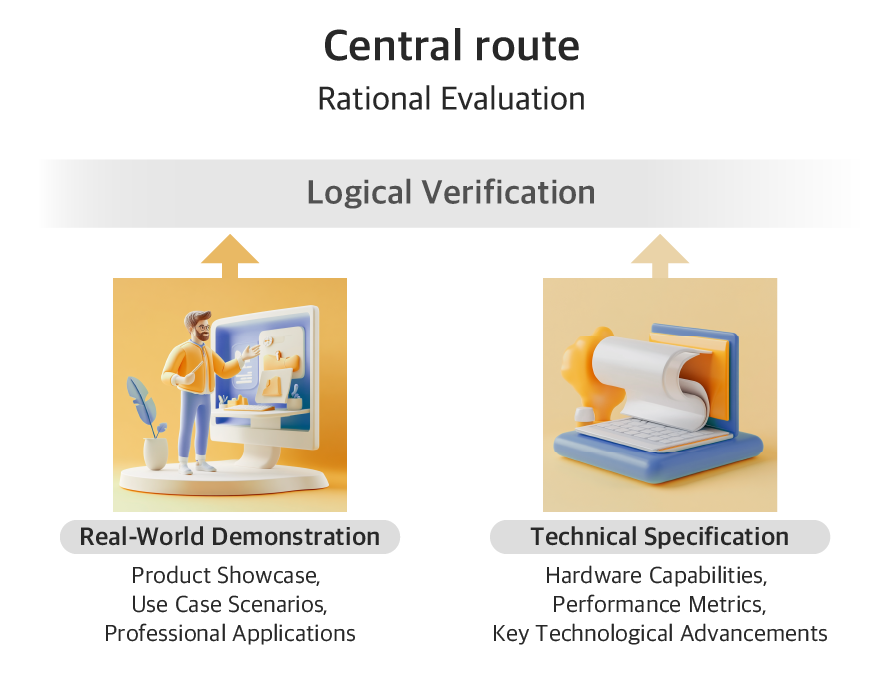
- Real-world demonstrations show actual results
- Technical specs provide the evidence users need to justify the spend
- Comparisons give logical permission to choose the premium option
3) Example1 — the camera section: Turning Pro-Level Dreams Into Persuasive Proof
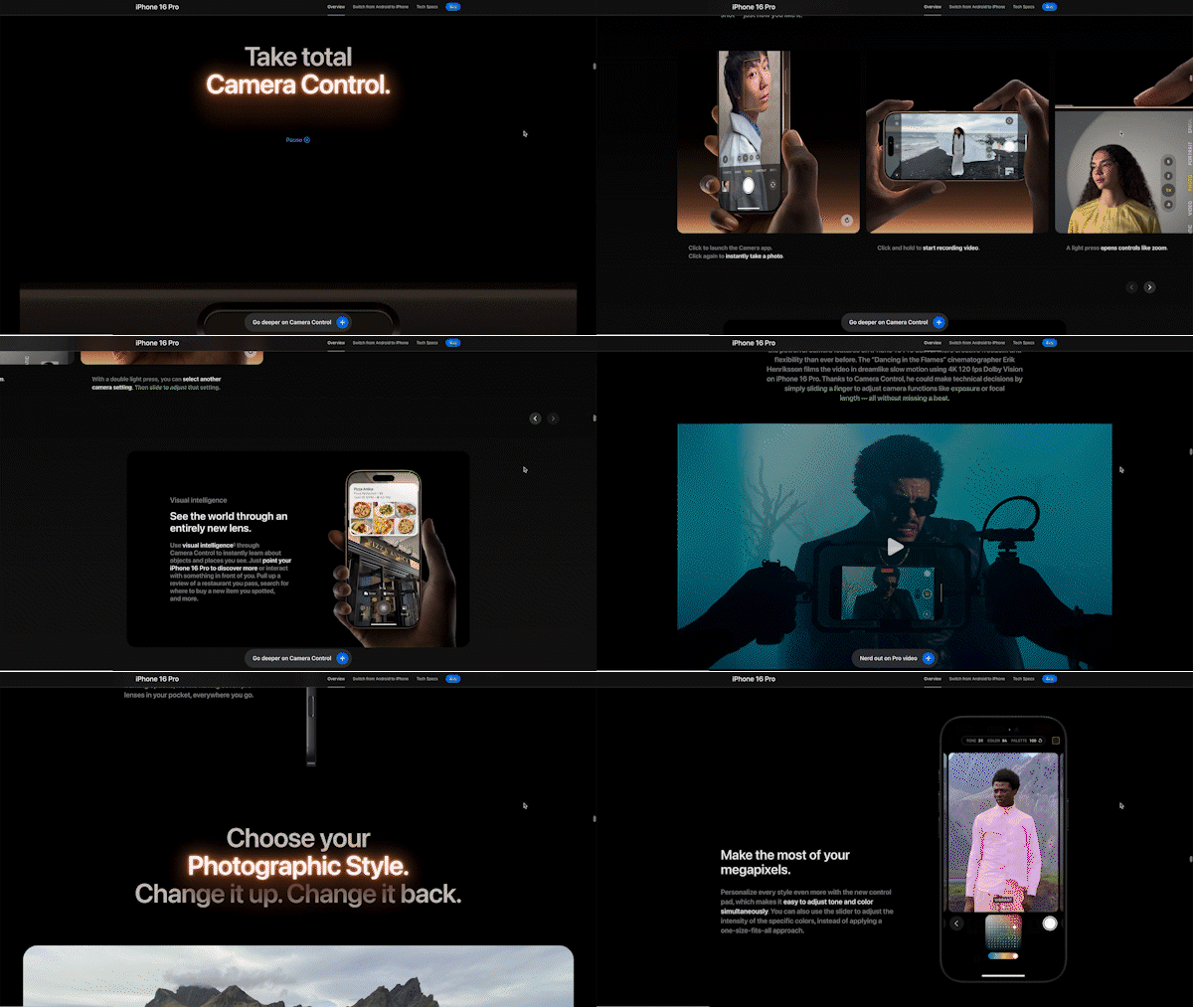
Apple doesn’t open with “48MP Ultra Wide camera.” It opens with the feeling of being a professional filmmaker. “Take total Camera Control” — paired with cinematic visuals and a physical UI modeled on professional camera dials.
Only after that emotional hook does Apple introduce ProRAW format, Dolby Vision recording, and the Weeknd music video shot entirely on iPhone 16 Pro. The sequence: aspiration → endorsement → specification. Not the other way around.
4) Example 2 — the satellite section: Selling Safety Through Fear and Relief

The satellite communication feature targets a completely different emotional driver: fear. “No signal? There’s a satellite for that” — visuals of stranded hikers, remote landscapes, zero cell coverage.
The peripheral route activates first: anxiety about being unreachable in an emergency. Then the central route delivers: coverage area specs, response times, how the system actually works. Same dual-route structure, opposite emotional starting point. One sells aspiration. The other sells reassurance. Both follow the same sequence.
What most brands get wrong here: Leading with specs activates the central route before the peripheral route has done its job. Users haven’t decided they want it yet — so the specs don’t land.
2. Interaction Design — Match Complexity to Engagement
Cognitive Load Theory tells us that working memory has a limit — typically 3 to 5 items at once. Ask users to do too much before they’re ready, and comprehension drops. The implication for interaction design: complexity should scale with engagement, not front-load it.
Apple structures interactions in three stages, matched to the user’s level of engagement:
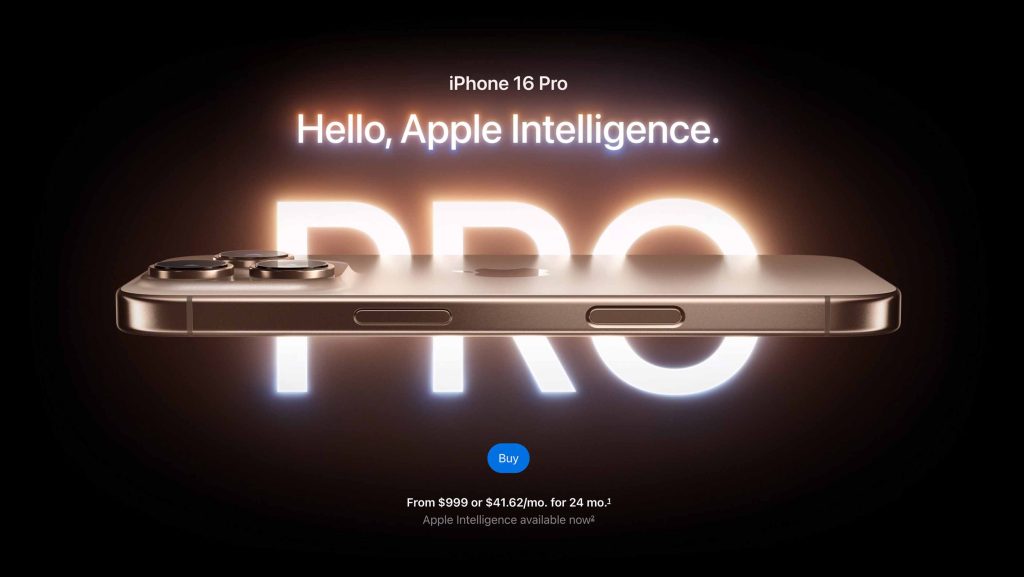
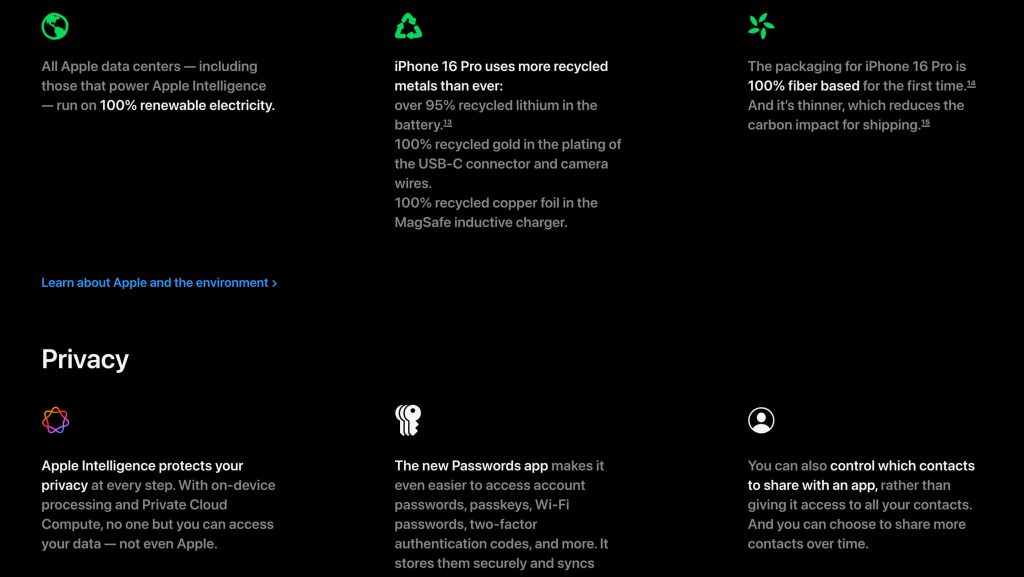
1) Stage 1: Static displays
Single message, no interaction required. Used in hero sections and comparison charts. When the goal is clarity, low interactivity wins.
| Layout | Interaction | Purpose and Effect |
|---|---|---|
| Full-Screen Single Message | Static | Purpose: Deliver core value propositions Effect: Maximum message clarity through focused attention Example: Hero section |
| Text-Dense Grid | Static | Purpose: Present technical information efficiently Effect: Support rational evaluation Example: Product comparison charts |
2) Stage 2: Guided movement
Scroll-based animations, auto-play carousels. Used for feature introductions. The system controls pacing, while users stay passive as key information lands.


| Layout | Interaction | Purpose and Effect |
|---|---|---|
| Carousel (Auto) | Guided Movement | Purpose: Deliver key features one at a time with visual clarity Effect: Allow paced discovery and maintain user focus Example: “Get the Highlights” feature carousel |
| Immersive Scroll | Guided Movement | Purpose: Deliver key messages with emotional impact Effect: Create immersion and highlight product sophistication Example: Camera intro with immersive video and scrolling text |
| Vertical Scroll | Guided Movement | Purpose: Let users feel the impact of each option Effect: Enhance emotional engagement and intuitive preference Example: Photography Styles scroll interaction |
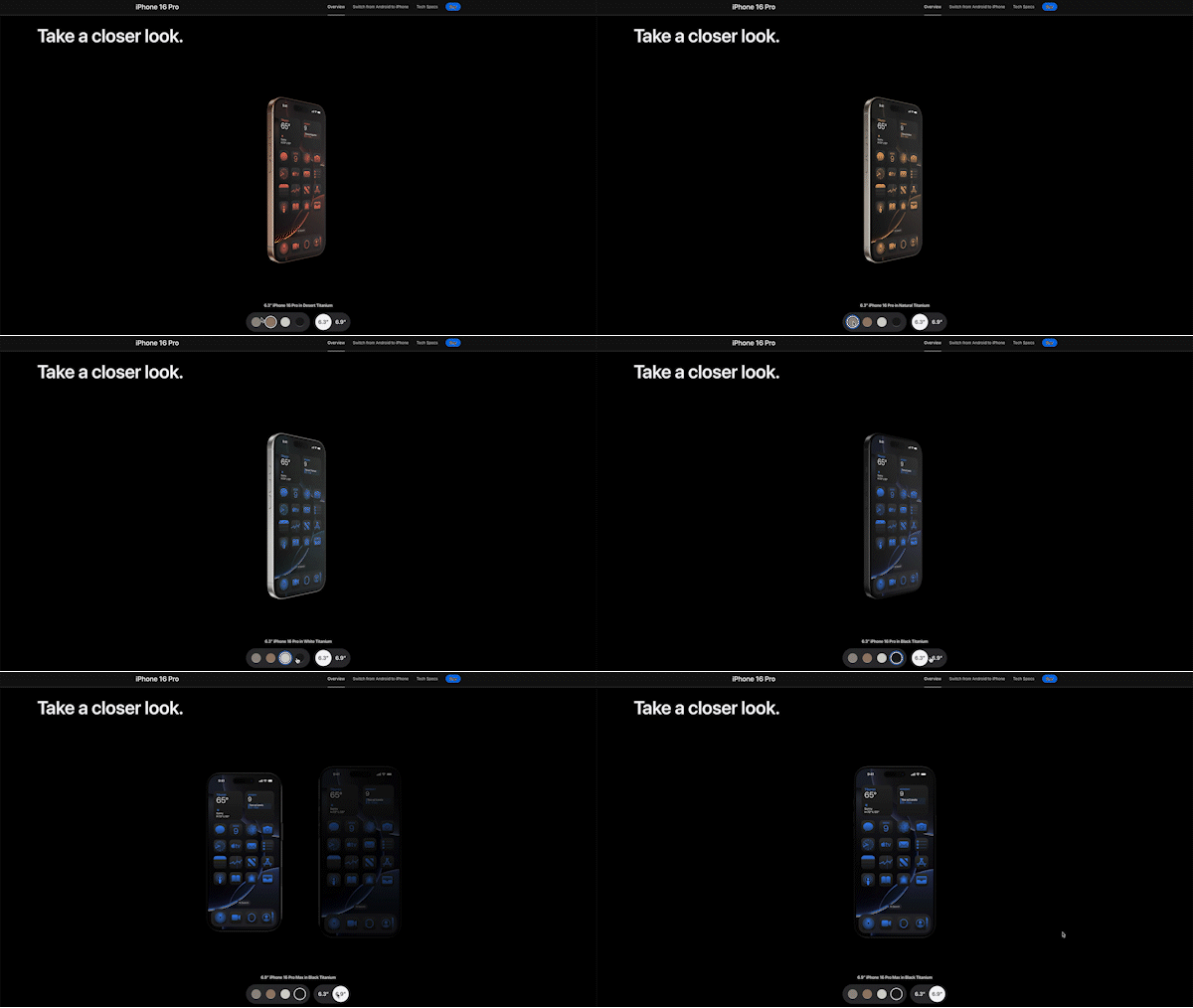
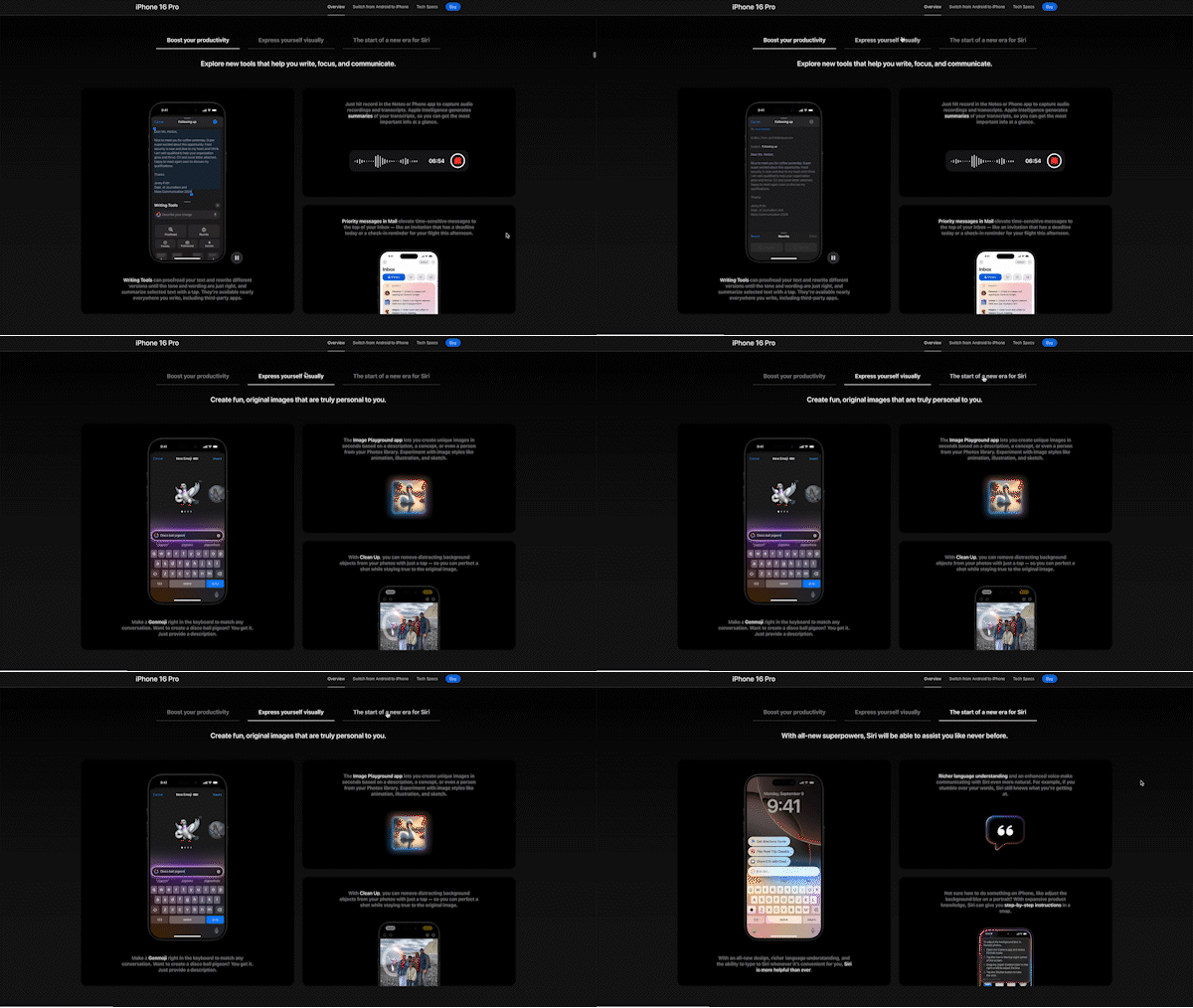
3) Stage 3: User-driven exploration
360° product views, horizontal scroll, tab structures. Used once interest is established. Users who actively engage retain information better and build stronger purchase intent.

| Layout | Interaction | Purpose and Effect |
|---|---|---|
| 360° Product View | User-Driven Exploration | Purpose: Let users explore the physical design in 3D with visual and tactile cues Effect: Simulate hands-on experience and reinforce premium material perception Example: Take a closer look section |
| Horizontal Scroll | User-Driven Exploration | Purpose: Demonstrate camera functionality through interactive simulation Effect: Promote active learning and confidence by mimicking real user actions Example: Camera capabilities section |
| Tab Structure | User-Driven Exploration | Purpose: Break down complex feature sets into manageable, categorized sections Effect: Support focused exploration while minimizing cognitive overload Example: Apple Intelligence details |
The progression matters. Asking users to actively explore before they’re interested creates friction. Starting passive and gradually handing over control mirrors how buying decisions actually develop.
What most brands get wrong here: Either everything is static (boring, low engagement) or everything is interactive (overwhelming, high cognitive load). The mix needs to match where the user is in the decision process.
3. Visual Language — Communicate Value Without Words
In luxury marketing research, material quality and visual restraint function as price anchors — they shape the user’s perception of value before any claim is made. Applied to product pages, this means visuals aren’t decoration. They’re the first argument for the price. If the visual language doesn’t communicate premium quality, the copy has to work harder to justify the number — and usually fails.
Apple uses visual design to communicate premium quality before a single word is read.
1) Minimalism as a signal
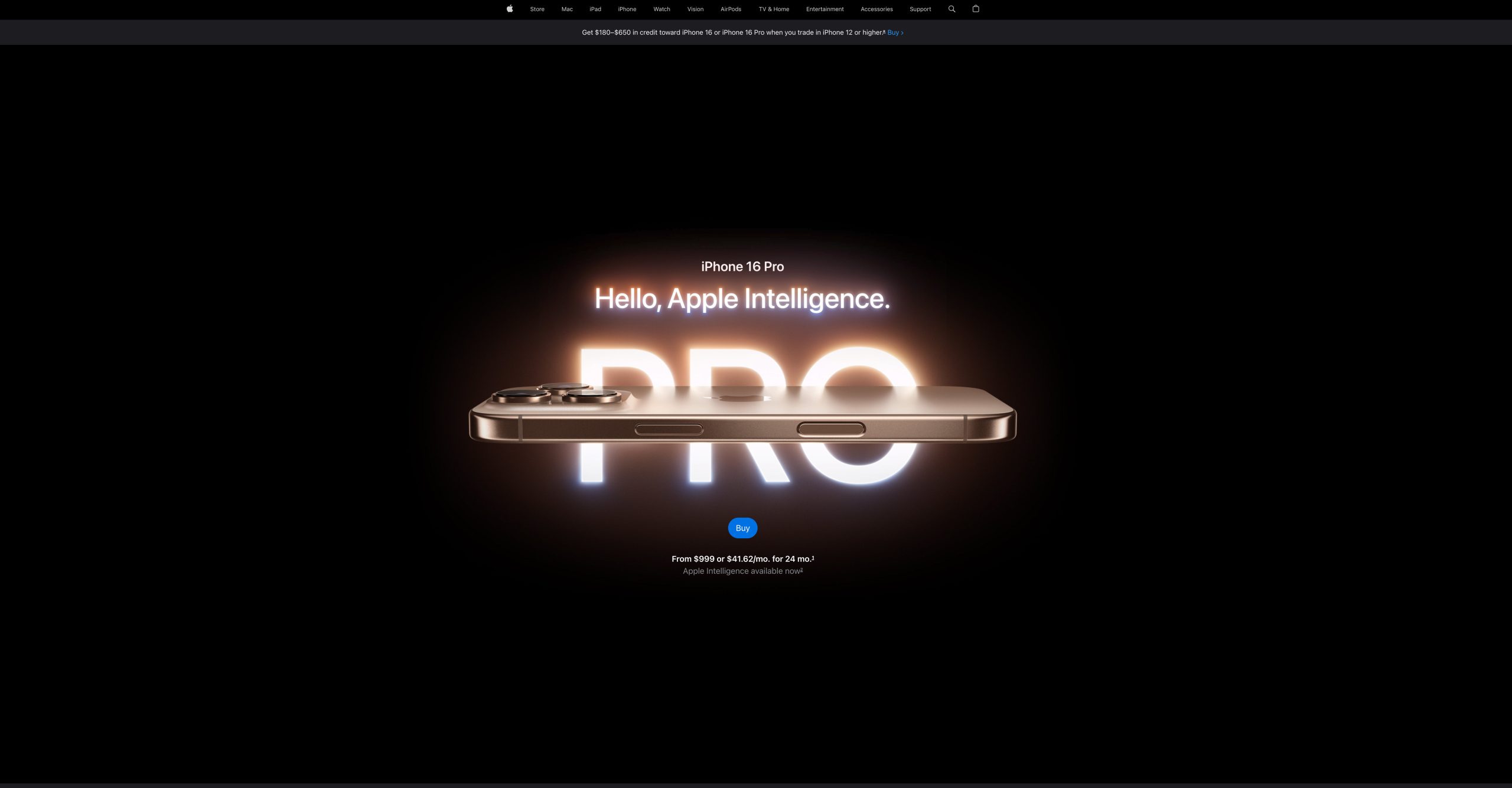
The hero section places one product on a black background with no UI elements. In luxury marketing, empty space signals confidence. A product that needs to fight for attention isn’t premium.
2) Lighting as texture

Controlled highlights move across the titanium surface to reveal grain, curves, and edge transitions. The craftsmanship is visible — not just implied. This is the visual equivalent of letting someone hold the product in their hands.
3) Motion as quality cue

Fast cuts feel cheap, whereas slow angles let each surface speak. The pacing mirrors the product’s own precision.
4) Color as restraint
Dark neutral palette. Muted tones. No attention-seeking boldness. Luxury is defined by what’s removed, not what’s added.
These aren’t aesthetic choices — they’re conversion mechanics. Premium visual language makes the $1,199 price feel like less of a stretch.
Apply This to Your Page
Each of the three mechanisms above — ELM, cognitive load, luxury visual principles — applies equally to your page. The question is whether your design decisions are working with them or against them.
Message design:
For each major feature section on your page, map the persuasion sequence:
| Section | Peripheral hook (emontional entry) | Central proof (rational validation) | Sequence correct? |
|---|---|---|---|
| Feature A | What feeling does it open with? | What evidence follows? | Peripheral before central? |
| Feature B | What aspiration does it address? | What demo or spec confirms it? | Peripheral before central? |
If a section opens with specs, it’s activating the central route before the peripheral route has done its job. Reorder: aspiration first, proof second.
The peripheral hook needs to be specific to what’s emotionally blocking the user. Match the hook to the blocker:
| What’s blocking the user | Peripheral hook approach |
|---|---|
| Doesn’t see their problem reflected | Open with an empathetic scenario before introducing the product |
| Skeptical — product seems like every other one | Lead with what it uniquely does — show, don’t claim |
| High-stakes or technical purchase | Show the people or process behind it before the specs |
| Unclear which option fits them | Let users self-select — “which version suits you?” |
- Every feature section opens with an emotional or contextual hook before specs
- The peripheral hook matches the specific emotional blocker for that feature
- Technical detail follows proof, not the other way around
Interaction design:
Map every interactive element on your page to a user intent stage. Each stage calls for a different type of interaction — and the wrong type at the wrong stage creates friction:
| Stage | User state | Recommended type | Example elements |
|---|---|---|---|
| Early (low intent) | Passive, just arrived | Static display | Hero image, single-message headline, product shot |
| Mid (building interest) | Curious, exploring | Guided movement | Auto-play feature carousel, scroll-based animation, immersive video |
| Late (high intent) | Actively evaluating | User-driven exploration | 360° product view, spec comparison toggle, model selector |
If your most interactive elements — demos, configurators, comparison tools — appear at the top of the page, you’re asking for active engagement before curiosity is built. Move them down.
Also check pacing within guided movement. Scroll-based animations and carousels should carry the user forward at a rhythm that feels deliberate. Too fast, and key information doesn’t land. Too slow, and users skip ahead.
- Static layouts used at the top — hero and early sections require no interaction
- Guided movement used for feature introductions, not deep specs
- User-driven exploration appears only after interest is established
- Pacing of guided interactions feels deliberate, not rushed
Visual language:
If your product is positioned as premium, visual language is your first price argument — before the user reads a single word. The way Apple uses lighting, space, and motion isn’t aesthetic preference. It’s a deliberate signal that the product is worth the number next to it.
If that’s the positioning you’re going for, these are worth checking:
| Element | What it signals | Question to ask |
|---|---|---|
| Hero background | Confidence — the product stands on its own | Is it clean enough to feel premium, or cluttered? |
| Product lighting | Craftsmanship — detail and quality are visible | Does light reveal how it’s made, not just what it looks like? |
| Motion speed | Precision — deliberate pacing feels intentional | Slow and controlled, or fast and restless? |
| Color palette | Restraint — luxury doesn’t shout | Focused, or competing for attention? |
- Hero communicates confidence before any claim is made
- Photography shows material or craft detail, not just the product outline
- Motion speed reflects your positioning — premium reads slower, not faster
- Color palette reinforces restraint rather than excitement